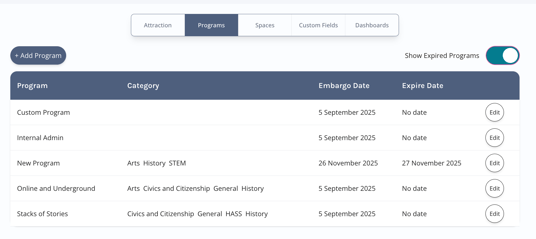
Programs can't be deleted, but can be expired.
Expiring a Program hides it from Users and prevents new Bookings, while preserving historical Booking data.
Follow these steps:
Step 1 - Open the Program Management Area
-
Go to Manage Attraction in the left navigation menu.
-
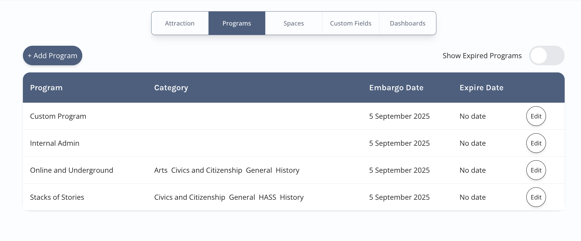
Select the Programs tab.
Step 2 - Edit the Program You Want to Remove
-
Find the Program you wish to remove.
-
Click Edit to open the Program settings.
Step 3 - Set an Expiry Date
-
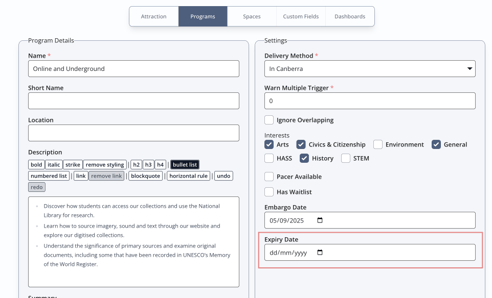
Navigate to the Dates tab.
-
Set an Expiry Date for the Program.
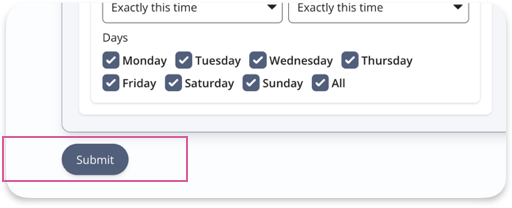
- Submit the form at the bottom of the page.
What Happens After Expiry
After the Expiry Date has passed:
-
The Program will no longer be visible to Tour Operators or Teachers.
-
Users will not be able to request new Bookings for the Program.
-
You will not be able to create Custom Bookings for it.
-
The Program will not appear in Browse Attractions or the Manage Programs list.
-
Existing Bookings will display the Program Name, so historical records remain accurate.
To manage an expired Program, toggle Show Expired Programs in the Manage Attractions > Programs tab.