
Administrator Edit
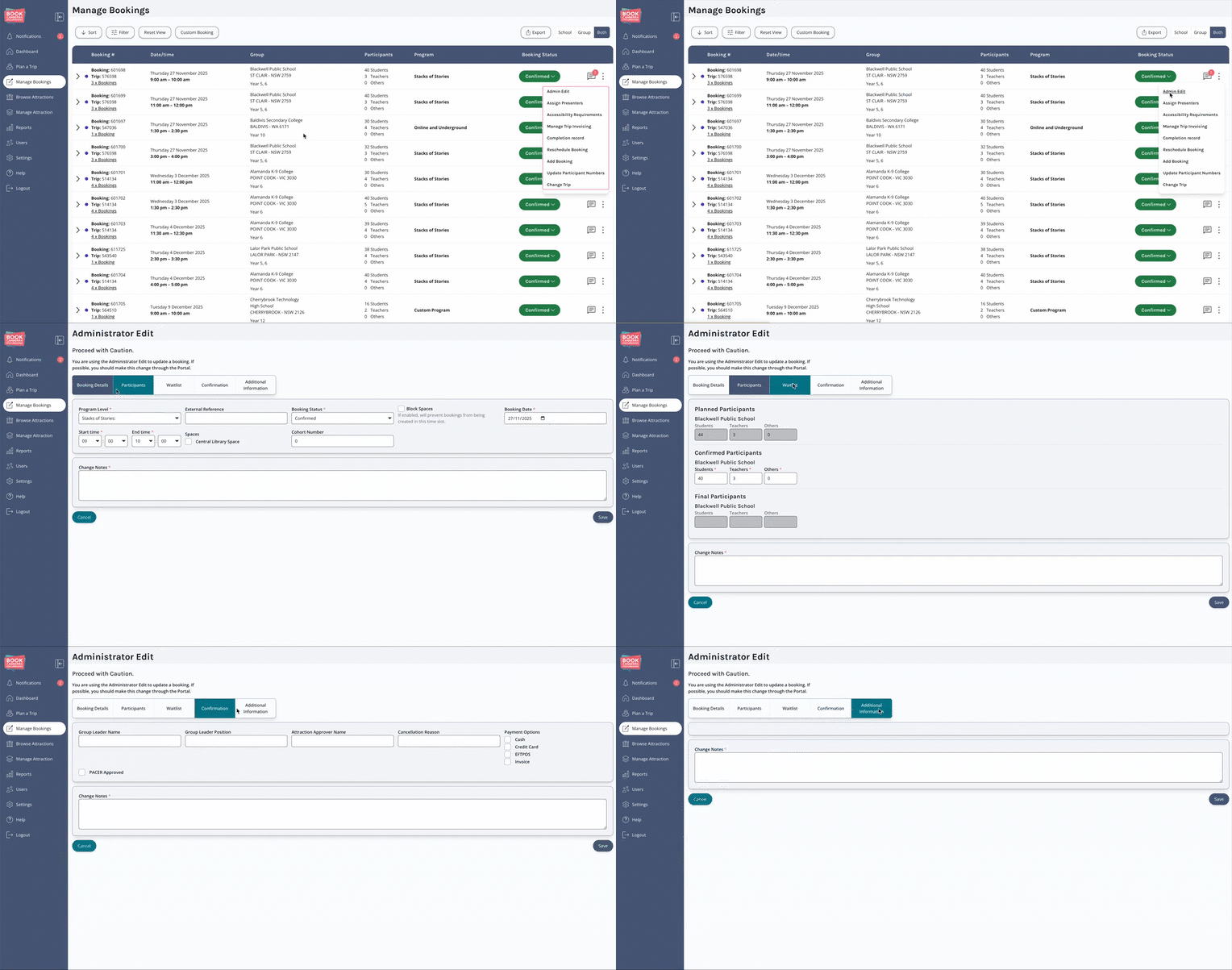
Administrator Edit is a powerful booking management option in the BCE system that allows Attraction administrators to make full edits to a Booking, including updating Booking details that would usually be managed by a Tour Organiser.
Administrator Edit should be used sparingly, and only when necessary, as Attractions are encouraged to ask Tour Organisers to make changes wherever possible.
Where to Find Administrator Edit:
-
Locate the Booking you want to manage.
-
On the far right-side of the Booking row, click the Vertical Ellipsis [⋮].
-
A dropdown menu will appear, listing available Management Options.
❗ Important
Where possible, attractions are encouraged to request the Tour Operator or Organiser to make booking changes.