
If the BCE system contains multiple Trips related to the same excursion you should Merge them to streamline administration and reduce duplicated work.
Merging Trips helps minimise the number of reminder emails sent to Tour Organisers and Teachers, and provides a single, consolidated Trip for easier management.
Change Trip
Enables you to move 1 or more Bookings to a different Trip.
This is typically used to ensure all relevant excursion Bookings are attached to a single Trip.
Steps:
- Identify the Trip you want to Merge 1 or more Bookings to.

- Copy the Trip Number.
- Click on the [⋮] menu beside each Booking you are wanting to Merge.
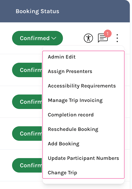
- Click Change Trip.
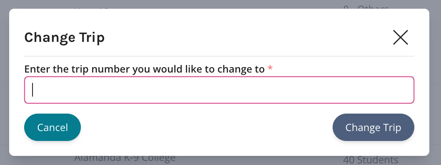
- Paste the Trip Number in the popup window and click Change Trip.
Once you've completed the process Bookings will be consolidated under a single Trip Number.