Trip Owners can update Lead Excursion Teacher details.
Follow the steps below to do so:
Step 1: Locate the Trip
-
Go to the Manage Bookings tab.
-
Use the Filter feature to quickly find the Trip you want to update.
You can search using:-
School Name
-
Trip ID
-
Date Range
-
Booking Status
-
and other filter options.
-
-
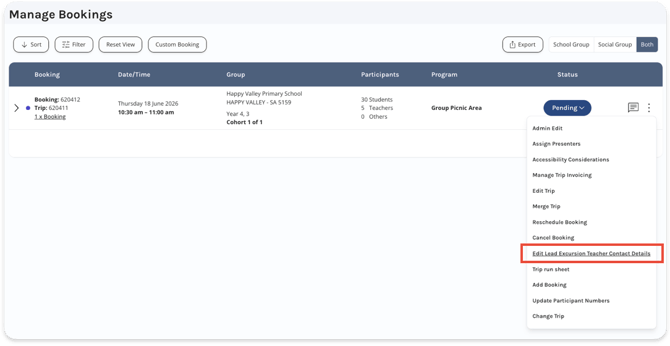
When you locate the correct Trip, click the Vertical Ellipsis [⋮] on the right side.
- Select Edit Lead Excursion Teacher Contact Details
.
Step 2: Edit the Contact Details
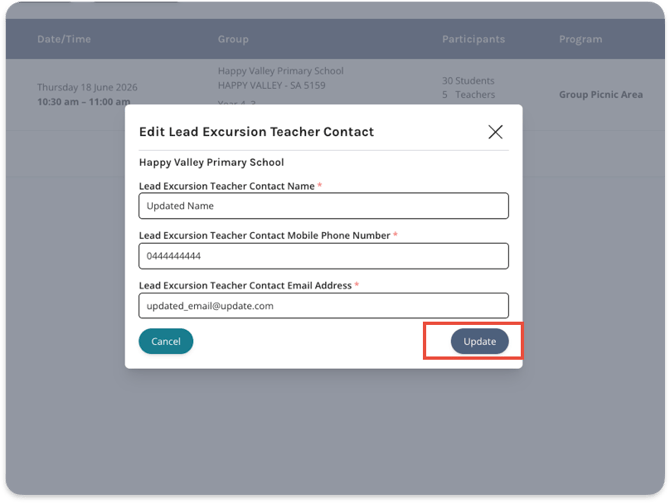
- Now you can edit the Lead Excursion Teacher Contact Details.
- Click the Update button to save changes.