
A Tour Organiser must Confirm a Booking within 3 months of a Booking date.
A Booking can't be confirmed before this time.
Follow the steps below to Confirm a Booking.
Step 1 : Locate the Booking
- Go to the Manage Bookings tab.
- Use the Filter feature to quickly find a Booking you want to Confirm.
You can search using:- School Name
- Booking ID / Trip ID
- Date Range
- Booking Status
- and other filter options.
- When you locate the Booking, you'll see a Confirm button in the Participants column.
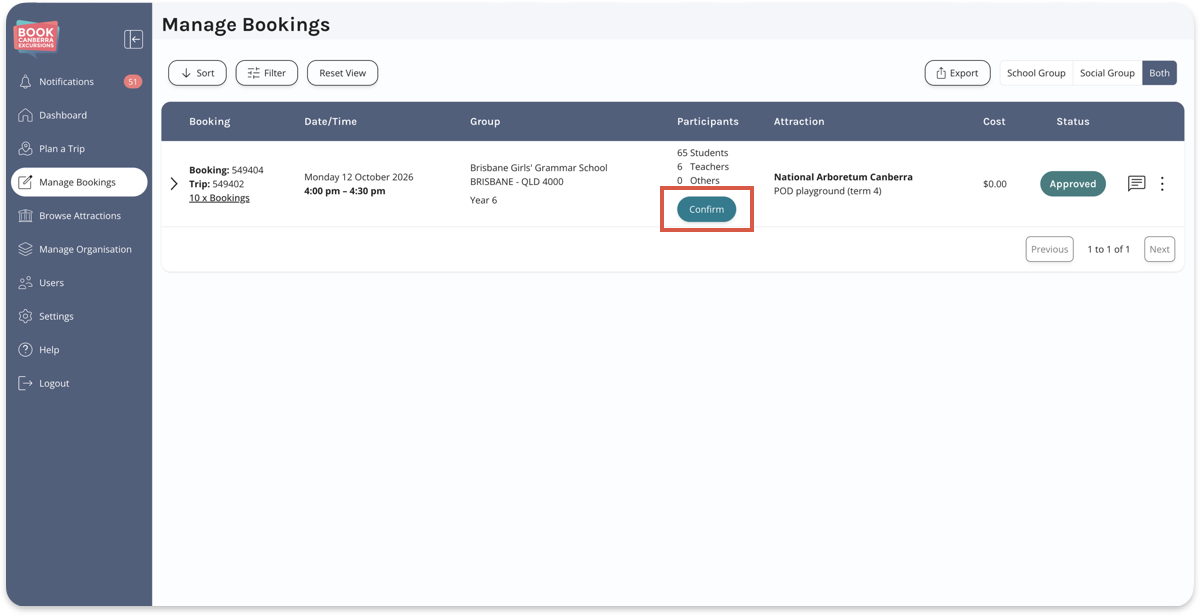
- Click the Confirm button.
If a Booking date is more than 3 months away the Confirm button will not appear.
Step 2 : Confirm the Booking
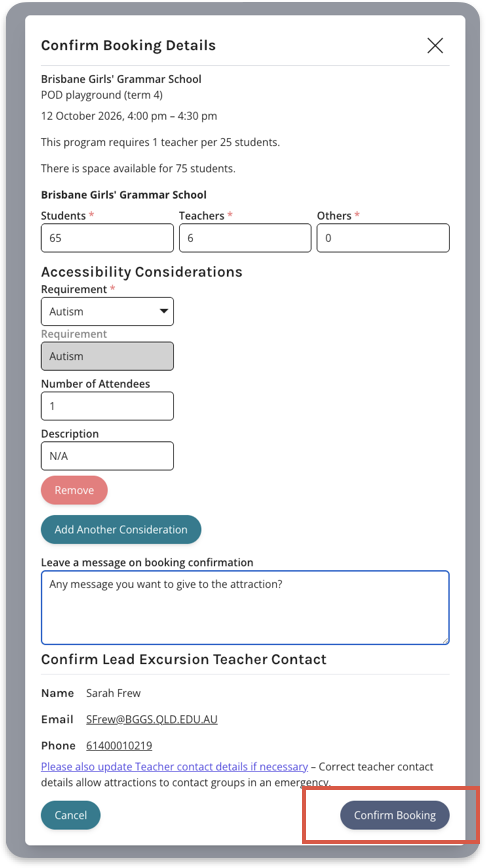
- When you click the Confirm button you'll see a popup window.
Enter the confirmed number of Participants for the Booking.
You can leave a message for an Attraction.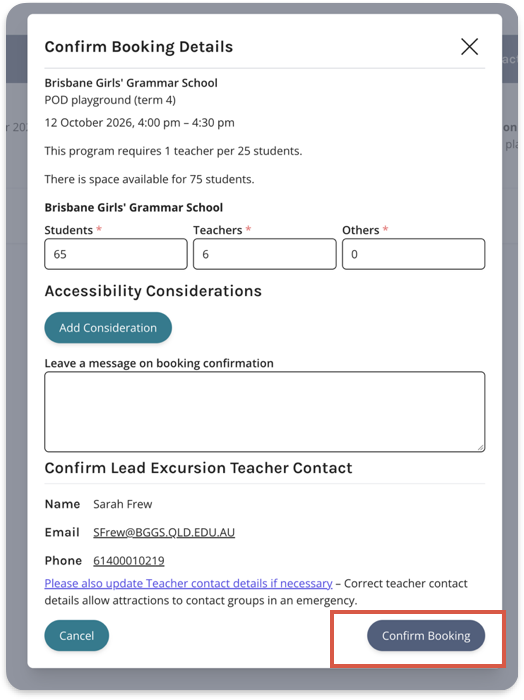
- You can also add Accessibility Considerations.
Click the Add Consideration button below the Accessibility Considerations heading.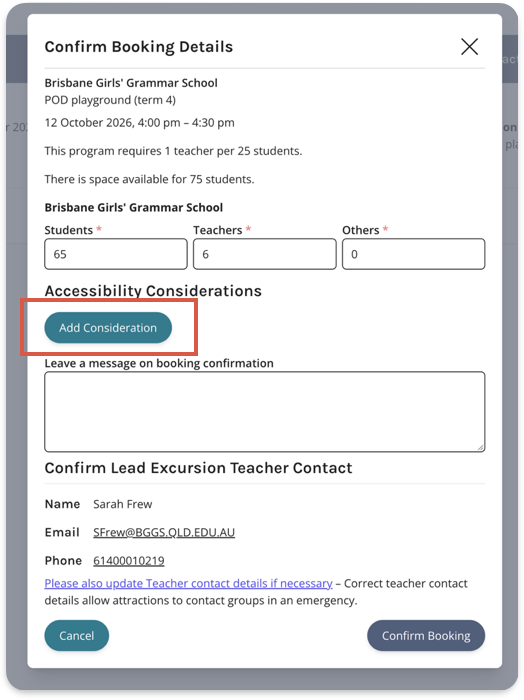
- Select a Consideration from the Requirement dropdown.
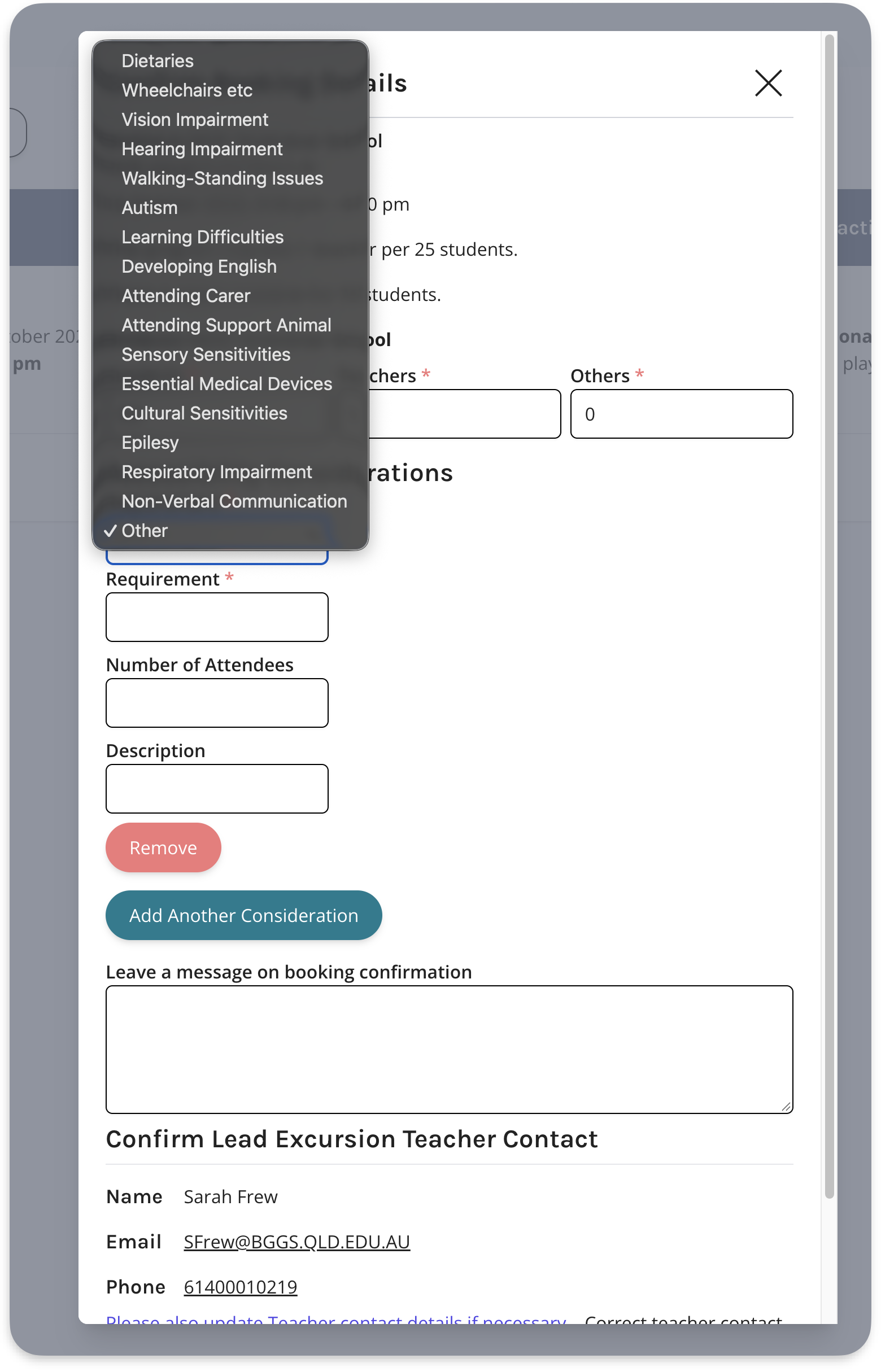
- To add another Considerations click the Add Another Consideration button.
- Once you've completed in the form, click Confirm Booking.
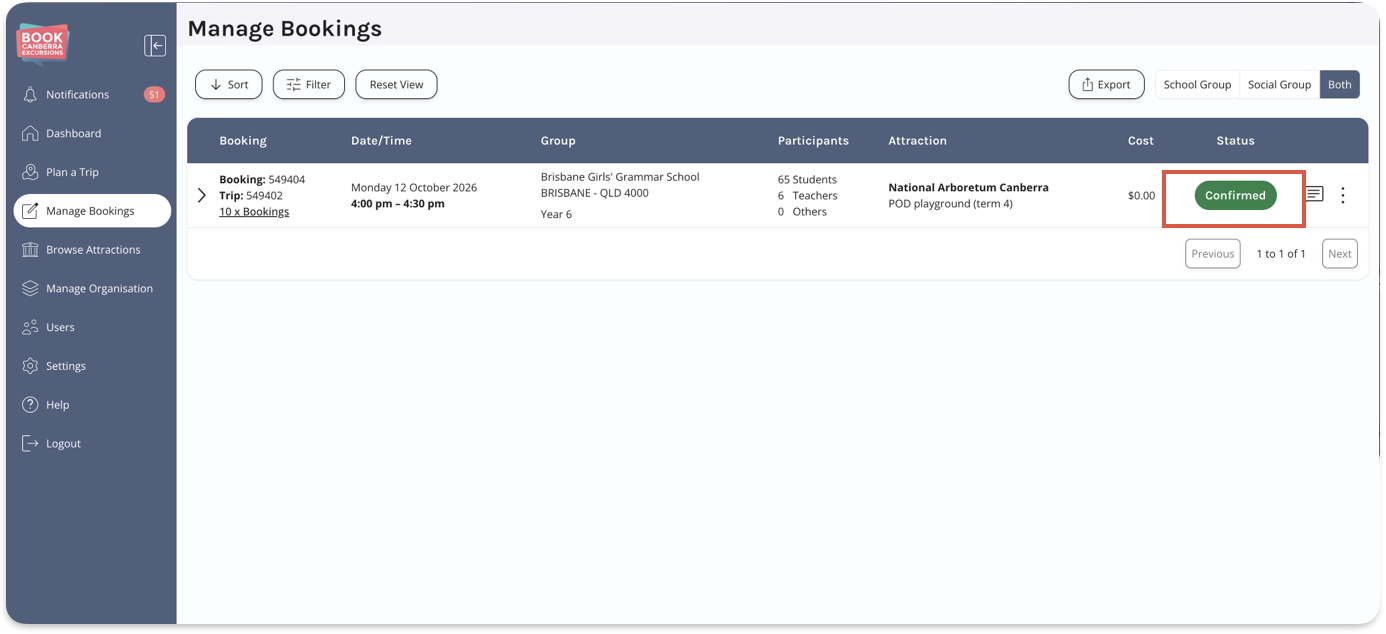
- A Confirmed status will display in the Status column when a Booking is successfully Confirmed.
NOTE: Please ensure confirmed participant numbers reflect required Student:Teacher ratios.